Search Results
84 results found with an empty search
- Caterpillar Operator Stadium - Conexpo 2020
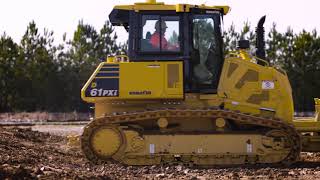
Quantum Land Design played a hidden, but big part in Caterpillar's Operator Stadium demos at Conexpo/Con-Agg 2020. Quantum's machine control model was hard at work in every demo keeping Cat Grade Control on grade and the "race track" graded to perfection every time. Quantum's team worked closely with Cat to get the design perfect while balancing the dirt as the design evolved into a racetrack for Cat's UTV. Quantum's team can help balance your construction site using the same expertise we applied to Caterpillar's demo. Stop by our machine control modeling page to learn more. Here are a few videos and pictures Cat's Operator Stadium before and during Conexpo 2020. Quantum's GPS machine control model hard at work. Pre-Conexpo set up and live show compilation. Caterpillar's remote controlled wheel loader always peaked the audiences interest. Cat's UTV putting the completed track to use. Here Cat's D6 starts to cut in the banked curve. The operator stadium had almost every piece of equipment on the move all of the time.
- Ground Control - Principle 2
2. Surround the Site Surrounding the site with ground control is a simple, but often overlooked, step. Usually four to six GCP's will do it. They don't have to be exactly at the outer boundaries of the site, just close. If you drew a line between the outlying GCP's it should box in the site, or be close to it. The points that surround the site will do most of the heavy lifting in aligning your drone data with the engineer's site plan and your machine control model. If you are flying a long, narrow project like a roadway or levee place two points on each end of the flight plan and at least two or three spaced evenly between them. Add additional points as necessary to bend around a curve. On the right, the red bullseye's marked "GCP" show you suggested locations ground control locations for an odd shaped factory site. If we drew a line connecting the six GCP's out near the red boundary it would fully contain the site. Don't worry about the GCP's in the middle or the points marked "CK" just yet. We will talk about them in principle three and principle five. Here is a sewer plant project flown with the Quantum Flight Pack. It took just four GCP's to box in the site. On the left is a short, straight road project. There are two GCP's tying down each end of the project. These are very important to make sure the drone data does not twist or deviate from the correct orientation. Again, these four end points are the most important GCP's. If your flight requires multiple flight plans you will need to box in every flight with ground control, then overlap the flight plans over ground control in the sections that run together. This way, it will be easy to merge all of the flights into one continuous data set. Below is a section of road with two bends. Around the outside of the curve we placed extra control to box in the survey area. Again, play connect-the-dots between the outer GCP's and you will see that it encircles the project. This road is typical of how you would layout ground control for any levee, trail or roadway. It's the same concept for any linear project. Next: Principle 3 - Set a few GCP's inside the site Previous: Principle 1 - Location Matters
- Ground Control - Principle 1
1. Location Matters In our mostly 2D life on the ground we usually don’t get too worried about what is overhead. When placing ground control, it is critical to look for overhead obstructions. If the drone can't see your GCP as it flies overhead, that GCP can't be used to make your data as accurate as it can be. As best as possible, make sure the drone will be able to capture photos of the GCP from all sides. If you need to place one near a tree, try to place the GCP at least the height of the tree away from it. Avoid placement under powerlines. If you can’t avoid powerlines entirely get out from directly under them. Move a few feet away from a fence line and don’t set a post or lathe right next to a target. Flatten or cut vegetation over about 1' tall right next to your GPC. Once you have done your best to clear overhead obstructions take a look at the ground. Place the target on a fairly flat area a few feet away from sudden grade changes. Instead of placing a target on an embankment, set it at the toe or top of the slope. Avoid placing a target in a parking space or intersection (we have seen more than one GCP with a F-150 or Camry on top). Don't set your target on the back of a curb or on a block wall. Now that you have a good location identified, all you have to do is place the target. Make sure the target is pinned or weighted down well enough to keep it in place for the duration of the flight. Then just place your rover in the center, level up and take the topo shot - just as shown in the photo below. If you are placing it on an existing survey nail or mark, the entire target needs to be flush with the surface and centered on the existing survey point. Give the point a simple description in your controller, like GCP1SW, for "ground control point 1 south west". A simple description like that will make your field work much easier to sort out for your data company or someone back at the office. It's nice to paint the GCP # next to the target, but that's not 100% necessary. It is mostly common sense here, but you would be surprised how many drone photos we receive where a target or two is obscured in most of the photos. One other thing, if someone is measuring in your GCP's while you are flying, remind them to avoid occupying a point as the drone passes over or near it! Next: Principle 2 - Surround the Site Previous: Intro to Drone Ground Control
- Ground Control - Principle 4
4. Collect Topo Check Shots Another important consideration when laying out your ground control is topo check shots. Check shots are just that - topo points we use to quality check the final 3D surface built from your drone flight. What's the difference between the two? Ground Control points locate your drone data in the correct place, check points are independent and what we use to verify accuracy. If we don't have check shots we will only know if your data is correct right on your GCP's, which it always is - because we told it to be. We suggest taking check shots more-or-less in between GCP's and in any critical areas. Try to mark them with about a 6" spot of paint, you don't need to number them. If you don't have any paint on hand, shoot them on a spot that will be recognizable from your drone flight, like the end of paint line on pavement, sawcut junction or a sidewalk corner. If places like that are not an option, just collect them where you can. Any check shot is better than no check shot. The general guidelines regarding where it's ok to place ground control applies to check points, too. The drone has to be able to see them from overhead and they need to be on spot with bare earth, a hard surface or mowed grass. If you are using your drone data for design and need to tie-in to an existing hard surface or drainage feature be sure to take check shots at each tie-in and flowline. We like to see about as many check shots as you have GCP's plus any critical areas and tie-ins. Of course, more is better to a point, but don’t get hung up on the exact number or feel like you need to capture 100 of them. In your field controller, when taking topo shots, just use a simple point descriptions. If they are an important spot like a tie-in or flowline, label them clearly. Otherwise, labeling them "check" is sufficient. Good point descriptions will make your field work much easier to understand in the office. They might even save a trip back to the field to collect more data. When it's time to export the points you can use the proprietary file type your GPS brand generates or a universal file type like CSV or TXT. However you export the data, be sure to select the Point #, Northing, Easting, Elevation and Description fields. One common mistake we see when contractors take check shots is they let the point of their rover sink into the dirt. This will give you a check shot a 0.1' or two lower than the actual surface. This will make the final 3D surface derived from your drone data appear to be high, when it is actually right on. If you have one, put a blunt topo shoe on the bottom of your rover pole. Here is the sewer plant we looked at in principle 2. Suggested topo check shot locations are shown with a yellow target labeled "CK". They are roughly between control with one on the berm between the lagoons. This road project has a few check shots on either side of the right-of-way and at two key intersections. Remember, check shots don't don't take a lot of planning. Just capture then as you travel between control points. Collecting them should add very little time to your field work, but give you a big piece of mind when it comes to proving your drone data is accurate. Next: Principle 5 - Measure GCP's with the same GPS system you are using for machine control Previous: Principle 3 - Set a few GCP's inside the site
- Intro to Ground Control for Drone Mapping
Quantum has broadcast loud and clear the best practices regarding site control for your GPS machine control systems. When expanding your tech repertoire into drone data, (we have heard the Quantum Flight Pack is good) it is just as important for you to understand how Ground Control Points (GCP) are utilized and why they are necessary when collecting drone data. Ground control is a target placed on the ground that can be seen in your drone photos. It is what ties your drone data to the "ground" and functions in much the same way as site control for your GPS system. We have broken the Ground Control process down into five simple principles you can apply to ANY drone data project and ANY drone system. Click on each one for a separate post with a detailed explanation. 1. Location matters 2. Surround the site 3. Set a few GCP's inside the site 4. Collect topo check shots 5. Measure GCP's with the same GPS system you are using for machine control The center of the GCP target is measured with the GPS system you are using for that project. We can see the targets in your drone photos, it's what we use to align your drone data with your machine control model, the project plans and any other survey work that has been done on the site. Without ground control, at the very best, your drone data will only be within a few feet of the correct location horizontally and dozens of feet off vertically. Nowhere near close enough to make it useful for much of anything when it comes to measuring your progress against the construction plans. Let's address the elephant in the GCP room --> There is a lot of buzz in the industry about PPK and RTK capable drones with very accurate photo geotags. They have their place and big potential, but you still can't beat the simplicity, low cost and reliability of standard ground control. You already have an expensive and highly accurate GPS base/rover system, may as well give it double duty in measuring ground control. Even with a PPK or RTK drone you should still have a few GCP's to guarantee your drone data will align with your machine control model. You rarely get a second chance to fly a constantly changing construction site. On the right, is a photo of a good ground control target. Note it has a clearly defined center, a matte finish and contrasting colors that show up well in drone photos. The basic design you see below is how most good quality GCP's are designed. Also, notice how this target is very low tech. Remember, you will use the GPS rover already set up on site to measure in the center of the target. If a dozer or truck runs over this target, its unfortunate, but you are only out the price of a good lunch. Not a few hundred $$$. It's ok to use ground paint in difficult to access or high traffic areas, but a good quality re-useable target is always best. If using ground paint, heavily paint the target and make it so the center will be easy to see from the air. Lightly painted or target colors that blend into the surface won't serve their purpose very well. Orange and blue seem to work well for most ground conditions.
- Komatsu PC490LCi Underwater Wall Grinding
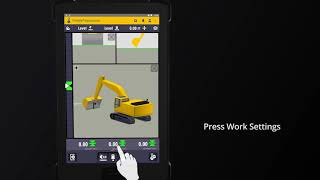
This is truly "Machine Control Made Easy"! This Komatsu Construction 490LCi is grinding a wall, underwater, in a barge lock. In years past, this work would have required draining the lock. An expensive and time consuming process. With the latest Komatsu Smart Construction tech, a Quantum model and great dealer support this contractor made it look easy. This video is supposed to be boring. The contractor completed this USACE project at a reduced cost and well ahead of river opening in just a few days.
- Drone Data Never Works Alone: Integrating Drone Surveys into Your Existing Workflow
Quantum Land Design was recently featured in Propeller Aero's Thought Leaders Blog series. The blog post expands on Zach's Tech Talk at Conexpo-Conagg 2020. Zach discusses a few things you should think about before you jump into the latest drone tech, how you can use the machine control technology you already own and why you need to examine you current workflow to determine how drone data will work with it. If you would like to dig a little further into drones and drone data, take a look at the Quantum Flight Pack, and feel free to Email or call us at 515-505-3510. For your convenience, we have also placed the text below. Drone Data Never Works Alone: Integrating Drone Surveys into Your Existing Workflow This is an article contribution from Zach Pieper, director of operations at Quantum Land Design. Propeller showcases thought leaders from the construction, aggregates, and mining community through collaborative content creation. We’re asking real people on the worksite to write about real problems they’ve encountered, and to share the practical solutions that have made life easier. Drone data can change your business—or so you’ve been told. In this post, I will share examples of how it did for several contractors, but first, let's take a look at a few questions you should know the answers to before you jump into drone data. What information you expect to derive from your drone flights? Do you just need to measure a few stockpiles? Maybe you need to quantify earth moved for monthly pay applications. What gap in your current processes are you trying to fill? Keep in mind a drone is a versatile tool but may not be the best solution for the problem you are trying to solve. Can you leverage construction technology you already own to get the answers you need? Or can you use it to enhance your drone data? More than likely, if you are looking into drones, GPS machine control is already a big part of your operation. Can you use your base and rover in conjunction with your takeoff software to multiply some of the benefits you expect from drone data? Often, a hybrid technology solution can save you the most time and money. What needs to be done to make sure your new technology will fit into your existing workflow and information streams? Think about how you can get data from your drone to work with your takeoff software, CAD, GIS, and even your project management software. It's usually best to get the most out of the software and hardware you already own, rather than starting over with new tech that comes with its own learning curve. Making sure that your drone data will mesh with your other tools is a very important, and often overlooked, aspect of the technology. Now let's take a look at a few real-world project examples to help you understand how drone data can fill some gaps in your current processes. 1. Documenting the difference before and after earthwork A small family-owned contractor we work with was in the process of starting earthwork on a new subdivision project. The contractor flew the project before and after earthwork was completed. Here is what the contractor learned from just two drone flights on this small project: The total volume of cut and fill earthwork on the site. Excess dirt moved for a change order to upgrade the home lots to allow walkout basements. The volume of excess cut dirt left over on the property for future use or sale. The orthophoto and topo provided much of the information required by the city's as-built requirements. A pre-construction topo for the next phase of the subdivision. Finally, the volume of woodchips generated from site clearing operations. Remember, all of the information above was derived from two drone flights. The drone data was easily loaded into the contractor’s takeoff software and compared to their takeoff and machine control model. 2. Faster, safer stockpile measurements Demolition is an application that is less often mentioned when it comes to drone data. Surprisingly, there can be a lot of benefit derived from a single drone flight. One of our contractors was challenged by a developer to provide an estimate to crush all of the broken concrete on an old industrial site. Normally, the contractor would have used his GPS base and rover to survey the piles. In this case, it was not safe or practical to walk dozens of piles. A drone flight was the only option. Once the site was flown, the photos were processed and a 3D surface of the existing site was generated. The contractor was able to use the 3D surface in his takeoff software to determine the quantity of broken concrete to be recycled. They also presented the developer with a preliminary earthwork estimate for the future development. 3. Hyper-accurate measurement when it matters This road improvement project was almost all fill, requiring a significant amount of earthwork. The original topo was based off of years-old LIDAR data. As the contractor was paid by the cubic yard, it was important to have an accurate topo of both the road and the borrow pit. They used their GPS system to measure ground control before flying the road project and the new borrow pit. Once the drone data was processed into a bare earth surface, they were able to derive several pieces of important information. First, the drone flight was compared to the machine control model to determine how many yards needed to be moved and where material needed to be placed to build the road. Second, the borrow area was evaluated to ensure it could provide enough fill. Third, the contractor used these flights in conjunction with future drone flights to measure production. By accurately measuring production they were able to fine tune their bidding and earthmoving processes. As you can tell from the examples above, the key to getting the most out of your drone data is making sure it will work with other information you use to manage your projects. For civil construction contractors, this probably means that the drone data will need to mesh with your takeoff software and machine control models. (Don’t forget to take a deeper look at the construction technology you already own, too. More than likely, it may be able to supplement or even improve the data derived from your drone flights.) Just remember, before you bring a drone into your operation be sure to understand what information you are trying to obtain and how you will get it to work within your existing workflow. You never work alone your drone data shouldn’t either.
- ConExpo Tech Talks
The Conexpo folks at the AEM has put together a great resource for new and experienced gps machine control users alike. They have gathered everything from in-the-cab how to's to question and answer questions with contractors. It's worth your time to login and scroll through the extensive offerings. Click here to get started.
- Low Light Camera Settings
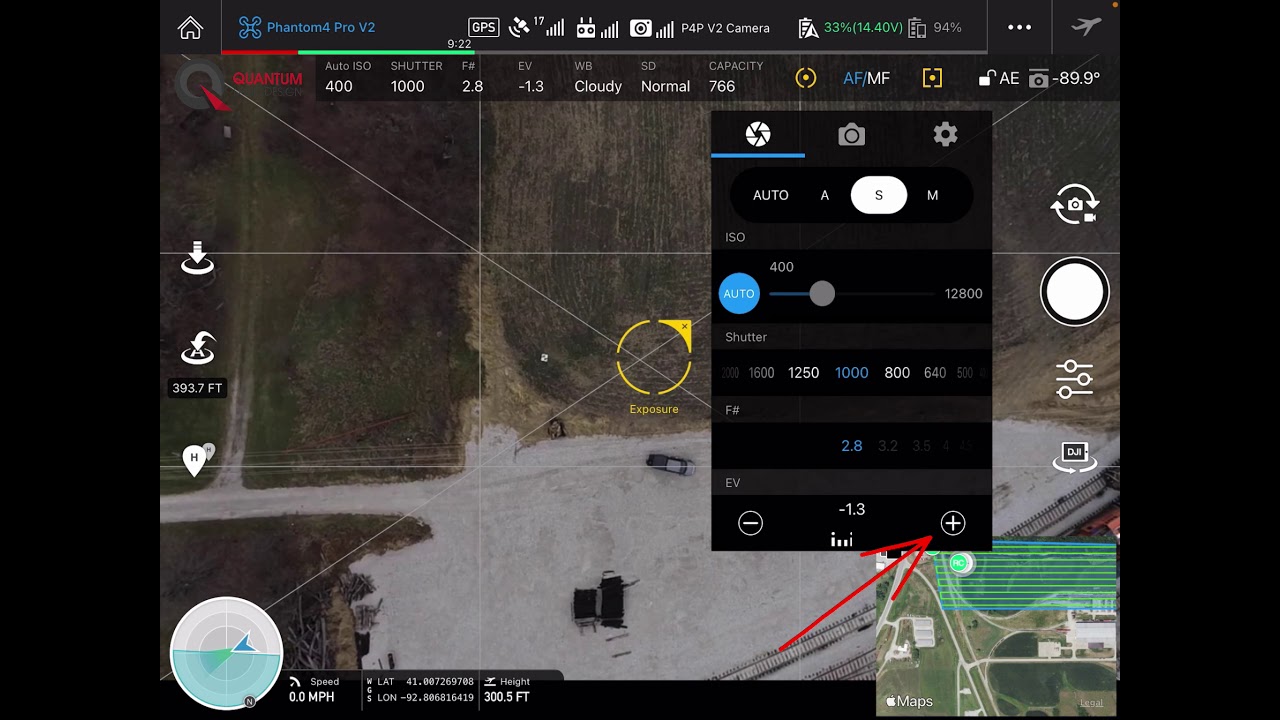
Your Quantum Flight Pack is a great tool, but like any tool, you need to know the right way to use it. Getting the camera settings right in any lighting situation is key to collecting the best data you can. In under a minute, you can learn how to adjust your DJI drone for low light conditions common in the colder months of the year. Have questions? Just email me or call at 515-505-3510 ex 702.
- Drone Topo GCP Location
Good ground control is key to getting the best data you can out of your Quantum Flight Pack. Watch and learn the thought process that went into placing this Ground Control Point. Proper ground control placement will ensure that your drone data lines up with your machine control model. Have questions? Just email me or call at 515-505-3510 ex 702.
- Measure This! Podcast
Our own Zach Pieper was featured in xyHt magazine's latest Measure This! podcast. Gavin Schrock and Zach discuss how drone data and machine control are implemented by real world clients. There are quite a few field proven tips you can apply to your projects right away. Listen up!
- In Depth - Cat Excavator Next Gen 3D Tech
Caterpillar's Ryan Neal goes in depth on the latest Cat excavator machine control tech. He does a great job explaining the various functions and features built into the new Cat machines. Five minutes well spent if you are ready to dig into the details of the new Earthworks systems.